
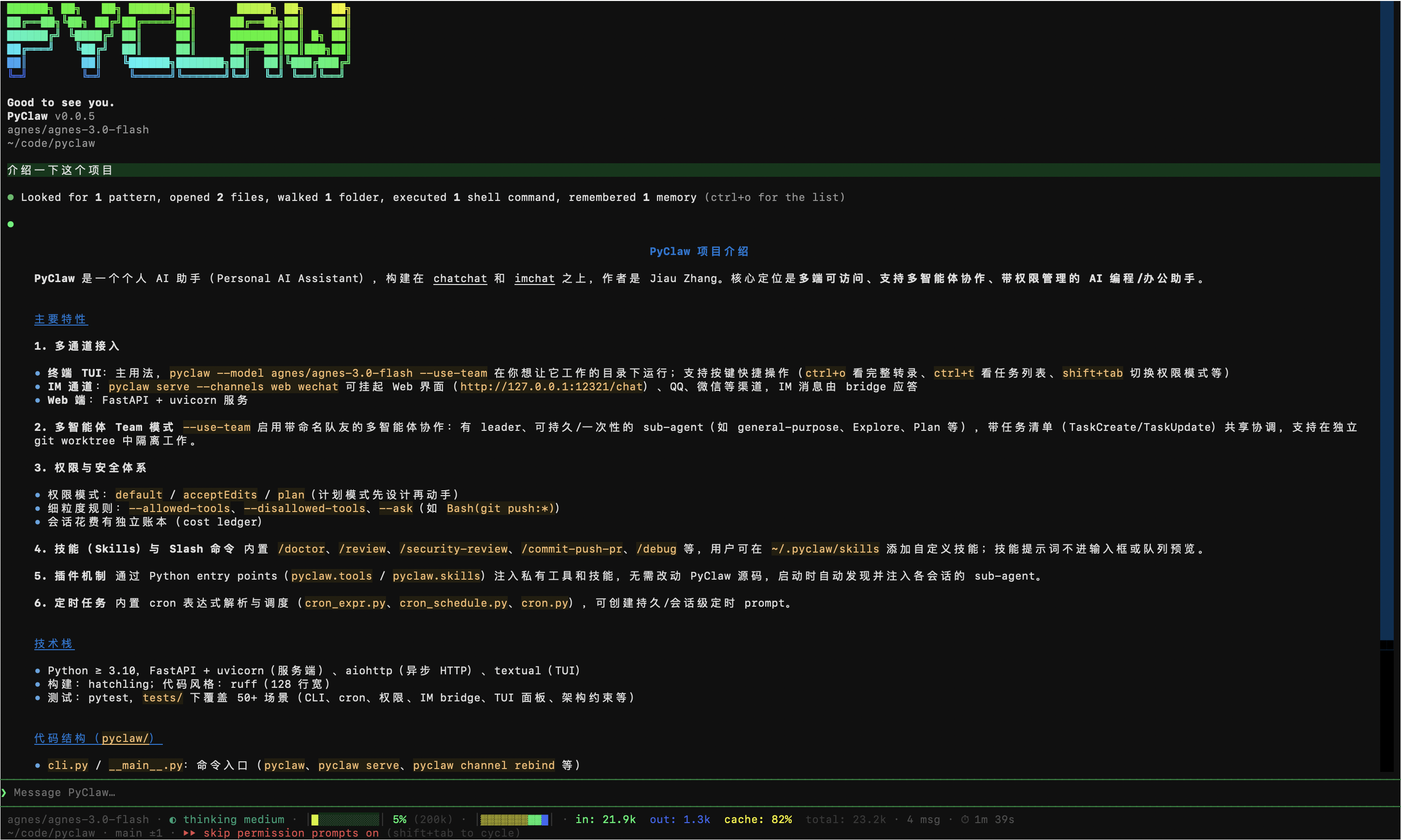
PyClaw is a personal AI assistant that works where you already work. The terminal UI is the main way in: one session, a team of agents when you want one, tools, skills, permission rules and a transcript you can rewind. The same session is also reachable from IM channels and from a headless HTTP/WS API. The agent runtime underneath is chatchat; the IM side is imchat.
pip install pyclawPython 3.10 or newer.
Provider profiles are shared with chatchat and live in ~/.chatchat/config.json.
pyclaw config writes them:
pyclaw config --provider agnes --base-url https://apihub.agnes-ai.com/v1 --api-key YOUR_API_KEY --type openai
pyclaw config
--type picks the protocol, openai or anthropic, and is required. --rpm
caps requests per minute for that provider. With no write flags, pyclaw config
prints the provider profiles (api keys masked) and PyClaw's own settings.
A model is one provider/model string, defaulting to agnes/agnes-2.5-flash.
PyClaw's own settings live in ~/.pyclaw/config.json:
{
  "model": "agnes/agnes-3.0-flash",
  "gateway": {"http": {"port": 12321, "host": "127.0.0.1"}},
  "enabled_channels": ["wechat"],
  "permissions": {"defaultMode": "default"}
}Run it in the directory you want it to work in:
pyclaw --model agnes/agnes-3.0-flash --use-team| Flag | Description |
|---|---|
--model PROVIDER/MODEL |
The model this run uses, overriding the config |
-p, --prompt PROMPT |
Run one prompt non-interactively and print the result |
--output {text,json} |
Output format of prompt mode |
--json-schema JSON |
Inline JSON Schema the answer has to match (needs --prompt); the run ends by calling the StructuredOutput tool with a validated payload |
--use-team |
Multi-agent mode with named teammates, fixed for the whole session |
--agents JSON |
Agent definitions, overriding the .pyclaw/agents files |
--worktree [NAME] |
Do the run in its own git worktree under .pyclaw/worktrees |
-c, --continue |
Continue the most recent session in this directory |
-r SESSION_ID, --resume |
Resume a specific session by id |
--permission-mode MODE |
default, acceptEdits, plan, allowAll or dontAsk |
--allow-all |
Unlock allowAll for the whole process; refused under root/sudo |
--allowed-tools, --disallowed-tools, --ask |
Permission rules, e.g. Bash(git push:*) |
--tools NAME ... |
The only tools this run has; every other one is refused, not just hidden |
--include-hook-events |
Show each hook run as its own line |
-d, --debug |
Log every streamed event to the conversation log |
In the prompt: enter sends, shift+enter or a trailing \ starts another
line, up edits what you queued, esc/ctrl+c stop the current work, ?
lists the shortcuts, ctrl+o opens the full transcript, ctrl+t the task
list, shift+tab cycles the permission mode.
default asks before a tool no rule covers, acceptEdits lets file edits
through, plan is read-only, allowAll skips prompts (--allow-all must have
unlocked it) and dontAsk never asks, refusing whatever the rules do not allow.
allow, ask and deny rules apply in every mode; /permissions shows the
current mode and the rules behind it.
Skills are slash commands the model can load on demand. Built in: /doctor,
/review, /security-review, /commit-push-pr, /debug. Your own live in
.pyclaw/skills for the project and ~/.pyclaw/skills for the user. A skill's
prompt is what the terminal writes for itself, so it never appears in the input
box or the queue preview.
Sessions are transcripts under ~/.pyclaw/projects/<project>; /resume picks
one, /branch continues in a copy and /rewind puts files and conversation
back to an earlier turn. /debug turns on the session debug log at
~/.pyclaw/debug/<session>.txt.
pyclaw -p "List the TODO comments in this repo" --output json
pyclaw -p "Summarise README.md" --json-schema '{"type":"object","properties":{"title":{"type":"string"}},"required":["title"]}'pyclaw serve --channels wechat qq --use-team --model agnes/agnes-3.0-flash| Option | Default | Description |
|---|---|---|
--channels |
wechat |
IM channels to enable (wechat, qq) |
--port |
12321 |
HTTP port (config gateway/http/port) |
--host |
127.0.0.1 |
Bind address (config gateway/http/host) |
--model |
config model |
Model as provider/model |
--use-team |
off | Give every conversation a team to work with |
--log-level |
INFO |
DEBUG, INFO, WARNING or ERROR |
--allow-all |
off | Every IM/web/cron session skips permission prompts; refused under root/sudo |
The web binding — the HTTP/WS routes under /chat and /v1 — is what
pyclaw api serves for pyclaw-desktop: it binds 127.0.0.1:0, generates a
per-run token and prints the endpoint as one stdout line,
PYCLAW_ENDPOINT {"port": …, "token": …}. It is not a browser UI. In
pyclaw serve, the web routes follow enabled_channels: add "web" there to
turn them on.
Stop a running gateway with pyclaw stop (it kills the listener on the port).
Rebind, i.e. re-authenticate, an IM channel:
pyclaw channel rebind wechatPrivate tools and skills can be injected without touching pyclaw's source, via
entry points.
Create a private package that declares pyclaw.tools and/or pyclaw.skills:
[project.entry-points."pyclaw.tools"]
mypriv = "mypriv"

[project.entry-points."pyclaw.skills"]
mypriv = "mypriv"
The module must expose tools (a list of chatchat.tool.Tool) and/or skills
(a list of SKILL.md root directories):
from chatchat.tool import tool


@tool(
    name="secret_lookup",
    description="...",
    parameters={"type": "object", "properties": {"key": {"type": "string"}}, "required": ["key"]},
)
def secret_lookup(key):
    return get_secret(key)


tools = [secret_lookup]
skills = ["/abs/path/to/my/skill/roots"]
A third group, pyclaw.agents, exposes AGENTS_DIR: a package directory whose
.md files each define one agent, frontmatter plus prompt body, the way
claude-code plugins ship agents.
After pip install (a local pip install -e . works), pyclaw discovers them at
startup and injects them into every session. Discovered tool names are listed in
the leader instruction automatically.
| 公众号 | |
|---|---|
 |
|
| AliPay | WeChatPay |
 |
 |