 |
|---|
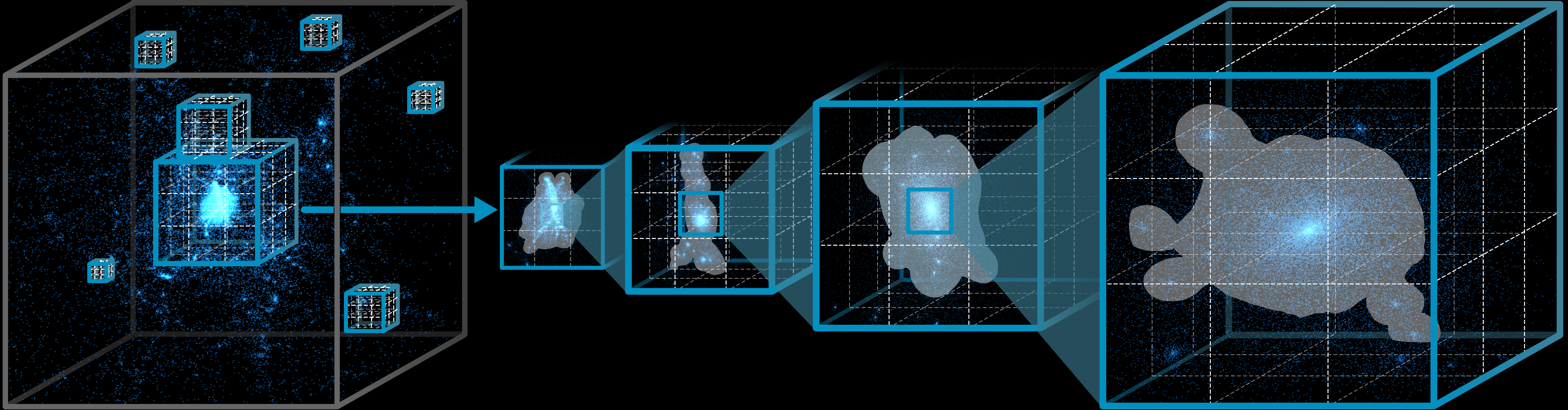
ScaleFree is a GPU-accelerated adaptive Kernel Density Estimation (KDE) algorithm for scalable, interactive multiscale point cloud exploration. It dynamically estimates continuous density fields from point clouds, enabling users to inspect global structures and local details across scales in immersive environments.
The paper, ScaleFree: Dynamic KDE for Multiscale Point Cloud Exploration in VR, was published at the 2026 IEEE Conference on Virtual Reality and 3D User Interfaces (IEEE VR 2026).
Pull requests and issues are welcome. If you find this project useful, please consider giving it a star.
- Windows platform
- Unity 2022.3.36f1 is recommended
- Unity 2019 or newer may work, but the project has been saved with Unity 2022.3.36f1
- A GPU with compute shader support
- Download and install Unity Hub.
- Clone this repository or download the archive: https://github.com/LixiangZhao98/ScaleFree/archive/refs/heads/master.zip
- Open the project folder with Unity Hub.
- Open the demo scene:
Assets/PointCloud-Visualization-Tool/scenes/KernelDensityEstimation.unity - Press Play in the Unity Editor.
If you are new to Unity, sections 1-4 and 6 of this Unity setup tutorial may be useful.
- Select the
DataGameObject in the Hierarchy and changeDatasetin the Inspector to switch datasets. - Press Play to run the real-time iso-surface reconstruction of the KDE result using Marching Cubes.
- To change the Marching Cubes threshold, expand the
DataGameObject, select theMarchingCubechild GameObject, and adjustMc Thresholdin the Inspector. - Drag with the left mouse button to orbit the camera.
- Use the mouse wheel to zoom.
- Use keypad
+and-to adjust the camera field of view.
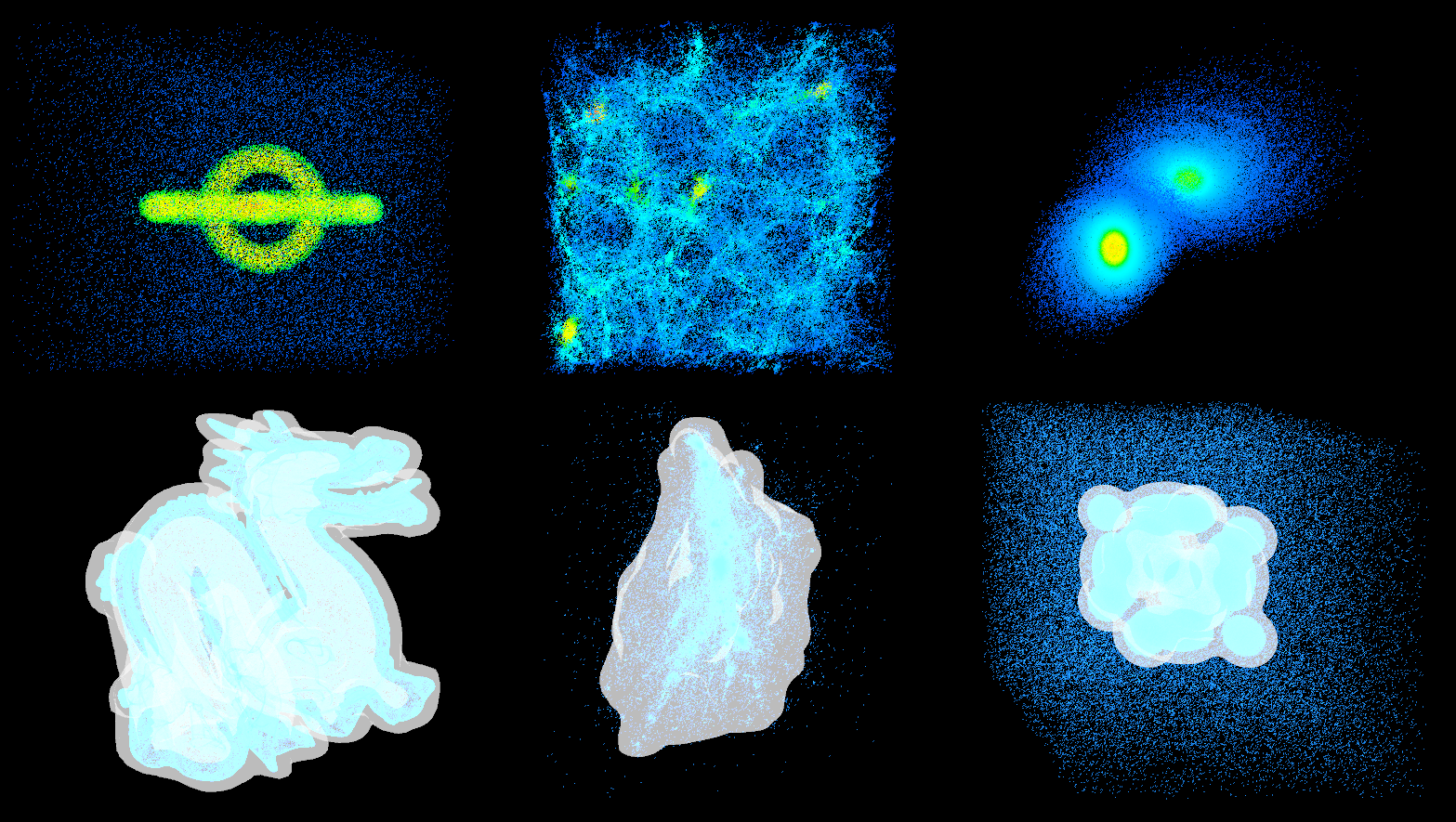
Example datasets are stored in:
Assets/PointCloud-Visualization-Tool/data/data/
The data loader supports .bin, .ply, .pcd, .txt, and .csv point cloud files. Dataset entries are exposed through the Dataset enum and can be selected from the Data GameObject in the Unity Inspector.
To add a custom dataset, place the data file in the dataset folder above and reopen or refresh the project in Unity so the editor enum updater can expose the new dataset option.
Procedural datasets can be added in:
Assets/PointCloud-Visualization-Tool/script/DataProcessing/DataGenerator.cs
Enable Custom on the Data GameObject and select a generator from Custom Generator to use generated point clouds.
Assets/PointCloud-Visualization-Tool/scenes: Unity demo scenes.Assets/PointCloud-Visualization-Tool/script/DataProcessing: point cloud loading, saving, KDE processing, scalar fields, and dataset definitions.Assets/PointCloud-Visualization-Tool/script/Rendering: point rendering, GPU Marching Cubes, halo rendering, flow rendering, and color mapping helpers.Assets/PointCloud-Visualization-Tool/script/RuntimeControl: runtime dataset loading, camera controls, and interaction scripts.Assets/PointCloud-Visualization-Tool/shader: rendering shaders and compute shaders.Assets/PointCloud-Visualization-Tool/data: example point cloud data, scalar fields, and generated assets.
If you use ScaleFree in your work, please cite:
@inproceedings{Zhao:2026:SDK,
  author = {Lixiang Zhao and Fuqi Xie and Tobias Isenberg and Hai-Ning Liang and Lingyun Yu},
  title = {{ScaleFree}: Dynamic {KDE} for Multiscale Point Cloud Exploration in {VR}},
  booktitle = {Proceedings of the IEEE Conference Virtual Reality and 3D User Interfaces (VR, March 21--25, Daegu, Korea)},
  year = {2026},
  pages = {358--368},
  publisher = {IEEE Computer Society},
  address = {Los Alamitos},
  doi = {10.1109/VR67842.2026.00057},
  preprint = {https://doi.org/10.48550/arXiv.2601.20758},
  github_url = {https://github.com/LixiangZhao98/ScaleFree}
}