
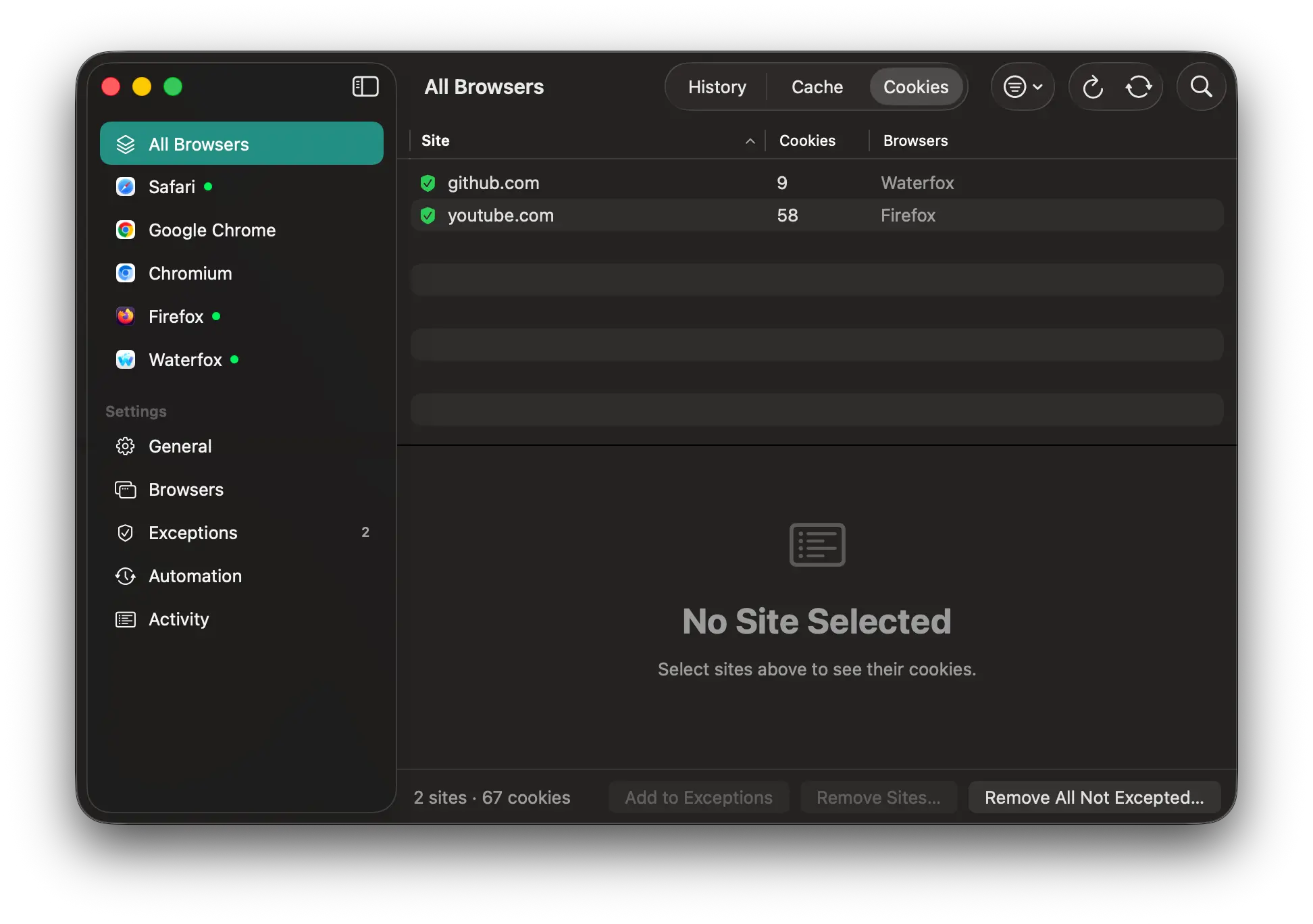
A macOS app written in Swift that inspect/manage browser cookies/histories/caches. Some of the features are:
- Exclude browsers: turn off any browser you want CookieEater to leave alone.
- Automation: clean when a browser quits, on a schedule, or both. You choose what is cleaned (cookies, history, cache) for each browser.
- Browser Profiles Support: pick the profile you want to manage
| Engine | Browsers |
|---|---|
| Safari (WebKit) | Safari |
| Chromium | Chrome, Chromium, etc |
| Firefox (Gecko) | Firefox, Waterfox, Mullvad Browser, etc |
check CookieEater/Model/Browser.swift for the full list of browsers that are supported. Support for Chromium and Firefox spin-offs is best-effort. They are detected by their data folder and bundle identifier, which are listed in CookieEater/Model/Browser.swift.
Build it in your Xcode, or:
xcodebuild -project CookieEater.xcodeproj -scheme CookieEater -configuration Release CODE_SIGN_IDENTITY=- buildRequires macOS 15 or later.
-
Safari's data are protected by macOS. You will need to grant access to the following directories:
Directory Usage ~/Library/Containers/com.apple.Safari/Data/LibraryCookies ~/Library/SafariHistory ~/Library/Caches/com.apple.SafariCache -
The app is not sandboxed: as sandboxed app cant edit other apps' data.
| Safari | Chromium | Firefox | |
|---|---|---|---|
| Profiles | SafariTabs.db |
Local State (JSON) |
profiles.ini |
| Cookies | Cookies.binarycookies: parsed, then rewritten without the removed records |
Cookies SQLite: rows deleted |
cookies.sqlite: rows deleted |
| History | History.db (history_items, history_visits) + recently closed tabs |
History SQLite tables + derived files (Visited Links, Top Sites, Shortcuts) |
places.sqlite: visits and unbookmarked pages; bookmarks are kept |
| Cache | WebKit cache records in ~/Library/Caches/com.apple.Safari and the container's cache |
"Simple" cache entries in <profile>/Cache/Cache_Data + GPU/shader caches |
cache2 entries in ~/Library/Caches/<browser>/Profiles/* |
- Reading never changes the browser's files. Firefox's and Safari's databases are read in place, read-only, even while the browser is open, so Safari's data never leaves the folders macOS protects. Chromium-based browsers keep their databases locked while they're open, so Settings › Browsers offers two ways to read them:
- From a temporary copy (the default): each database is copied to the temporary folder and read there, so it can be read while the browser is open. Each copy is deleted as soon as it has been read, and copies left behind by a crash are deleted at the next launch.
- In place: each database is read where it is, once the browser quits.
- The cache is read in place: only the part of each entry that holds its URL and site is read, never the cached content.
- Sites for the cache are the top-level site a resource was loaded for, when the browser partitions its cache by site (all three do by default), otherwise the resource's own site.
- Removing only happens while the browser is closed, because browsers keep this data in memory and would write it back. If you remove something from an open browser, CookieEater offers to quit it first.
- Automatic cleanups wait a few seconds after a browser quits so it can finish writing its files.
- Deletes use SQLite's
secure_delete, so removed rows are overwritten rather than left in free pages.
Settings, the activity log and folder bookmarks are stored as JSON in ~/Library/Application Support/CookieEater/.
- The only connection made by CookieEater is to check for updates, you can disabe it in the settings
- Cookie values aren't decoded while listing, only when you export them. Chromium encrypts its values with a password it keeps in your keychain (e.g. "Chrome Safe Storage"), so the first copy from a Chromium browser makes macOS ask whether CookieEater may use that password.
- Copied values are marked as concealed and transient so clipboard managers leave them out, aren't sent to your other devices through Universal Clipboard, and are cleared from the clipboard after 90 seconds unless you've copied something else since.
- Private windows keep their data in memory, not in the files listed above, so they never show up in CookieEater, and can't be removed by CookieEater. (see Mozilla's FAQ, Apple's, Chrome's)
- Chromium browsers locks their database, so realtime syncing will not work unless CookieEater makes a temporary copy. You can disable this in the settings. When disabled, CookieEater will attempt to read it after it has been closed.
- iCloud-synced Safari history and Chrome/Firefox sync can bring back history that other devices still have. (I do not sync my browser data so I will not be able to test any of these.)
- Data is grouped into sites with a copy of the Public Suffix List bundled with the app, so suffixes added to the list after a release aren't recognized until the next one.
- Removing single history pages leaves Safari's recently closed tabs alone; removing all history clears them too. Chromium rebuilds Visited Links and Top Sites from what's left. Favicons are never removed.
- Caches in other formats, such as Chromium's older "blockfile" cache or Safari's
Cache.db, are listed as files not tied to a site.
CookieEater is released under the MIT License. The cookie in the app icon and the menu bar icon comes from Noto Emoji and is under the Apache License 2.0. See THIRD_PARTY_NOTICES.md.