



SwasthCare is a comprehensive platform designed to empower consumers and sellers by providing transparency in product information. It leverages Azure services for AI-powered analysis, document intelligence, and communication.
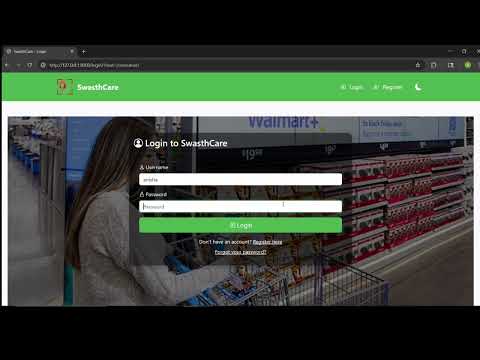
- Consumer Dashboard: Scan barcodes to access detailed product information, including nutritional data, ingredients, and allergen warnings.
- Seller Dashboard: Upload product images for AI-powered analysis and manage product data.
- AI Integration: Extract product details from images using Azure Document Intelligence.
- Chatbot: Ask questions about products using a built-in chatbot.
- Secure Authentication: User registration, login, and profile management.
- Python 3.8+
- Azure CLI installed and logged in
- Azure subscription with appropriate permissions
- PostgreSQL and MongoDB databases
git clone https://github.com/Team-Swasth/SwasthCare.git
cd SwasthCarepip install -r requirements.txtCreate a .env file in the root directory and add the following:
DB_NAME="DATABASE_NAME"
DB_USER="DATABASE_USER"
DB_PASSWORD="DB_PASSWORD"
DB_HOST="YOUR_DATABASE_HOST"
DB_PORT="DATABASE_CONN_PORT"

COSMOS_CONN_STRING="COSMOS_CONNECTION_STRING"
AZURE_DI_ENDPOINT="AZURE_DOCUMENT_INTELLIGENCE_ENDPOINT"
AZURE_DI_API_KEY="AZURE_DOCUMENT_INTELLIGENCE_API_KEY"
AZURE_AI_ENDPOINT="AZURE_AI_SERVICE_ENDPOINT"
AZURE_AI_API_KEY="AZURE_AI_SERVICE_API_KEY"

SECRET_KEY="YOUR_DJANGO_SECRET_KEY"

AZURE_COMMUNICATION_CONNECTION_STRING="YOUR_AZURE_COMMUNICATION_CONNECTION_STRING"
AZURE_COMMUNICATION_FROM_EMAIL="YOUR_AZURE_COMMUNICATION_FROM_EMAIL"python manage.py makemigrations
python manage.py migratepython manage.py createsuperuserpython manage.py runserverAccess the application at http://localhost:8000 on your browser.
- Scan Product: Navigate to the Consumer Dashboard and scan a product barcode.
- View Product Details: Access detailed nutritional information, ingredients, and allergen warnings.
- Upload Product Images: Use the Seller Dashboard to upload product images for AI analysis.
- Manage Products: Edit and update product details.
- Azure Document Intelligence: Extract product details from images.
- Azure AI Services: Power the chatbot and other AI features.
- Azure Communication Services: Enable email notifications.
This project is licensed under the Creative Commons Attribution-NonCommercial 4.0 International License (CC BY-NC 4.0), which permits others to share and adapt the material for non-commercial purposes, provided that appropriate credit is given to the original author.