
A simple and fast terminal setup tool for Termux, Debian, Ubuntu, and Kali Linux


MAXTER is a professional-grade, lightning-fast terminal setup tool engineered for developers, students, penetration testers, and power users. Designed with precision for Termux, Kali Linux, Debian, and Ubuntu.
Unlike traditional setup scripts that require tedious manual configuration, MAXTER automates the entire installation process with a single command—installing Zsh, Oh My Zsh, Powerlevel10k, and Meslo Nerd Fonts seamlessly across all supported platforms.
- ⚡ Blazing Fast: Complete setup in under 60 seconds
- 🎯 Precision Engineered: Tailored for multiple operating systems
- 🔐 Lightweight & Secure: Minimal dependencies, maximum efficiency
- 🌟 Production-Ready: Battle-tested and reliable
- ✨ Elite Experience: Industrial-grade aesthetic and functionality
An intuitive terminal user interface that puts powerful tools at your fingertips:
- Real-time settings management
- Bootstrap workflows for React and Vue using Vite
- One-command project initialization
- Theme customization without terminal restarts
Simply type:
maxterPurpose-built for mobile terminal environments:
- Custom Extra Keys: Optimized keyboard layout for Android devices
- Color Schemes: Eye-friendly palettes tested on various screens
- Performance Tuned: Minimal lag, maximum responsiveness
- Mobile Workflows: Develop on the go with full power
Powered by Powerlevel10k, MAXTER delivers:
- Sharp, professional prompt design
- Real-time command execution feedback
- Git integration with instant repository status
- Customizable segments and transitions
- Beautiful icon support via Nerd Fonts
Automatic system detection ensures compatibility:
- Detects your Linux distribution automatically
- Applies distribution-specific patches
- Resolves dependency conflicts intelligently
- Handles both APT and Pacman package managers
- Termux-specific environment detection
Build on MAXTER's foundation:
- Custom plugin support
- User-defined aliases and functions
- Configuration inheritance
- Easy shell customization
- Community plugin ecosystem
- Minimal footprint (~15MB)
- Automatic dependency resolution
- Fallback installation methods
- Offline-friendly installation process
Run this single command to install MAXTER:
bash <(curl -fsSL https://raw.githubusercontent.com/mahendraplus/MAXTER/Max/install.sh)Installation typically completes in 30-60 seconds.
| Platform | Status | Optimized |
|---|---|---|
| 🤖 Termux | ✅ Full Support | ⭐⭐⭐⭐⭐ |
| 🐧 Debian | ✅ Full Support | ⭐⭐⭐⭐⭐ |
| 🐧 Ubuntu | ✅ Full Support | ⭐⭐⭐⭐⭐ |
| 💀 Kali Linux | ✅ Full Support | ⭐⭐⭐⭐⭐ |
| 🔴 Fedora | ✅ Full Support | ⭐⭐⭐⭐ |
| 🔵 Arch Linux | ✅ Full Support | ⭐⭐⭐⭐ |
After installation, access the powerful settings dashboard:
maxterThis opens an interactive menu where you can:
- Customize themes and colors
- Manage installed plugins
- Configure Zsh settings
- Bootstrap new projects
- Reset configurations
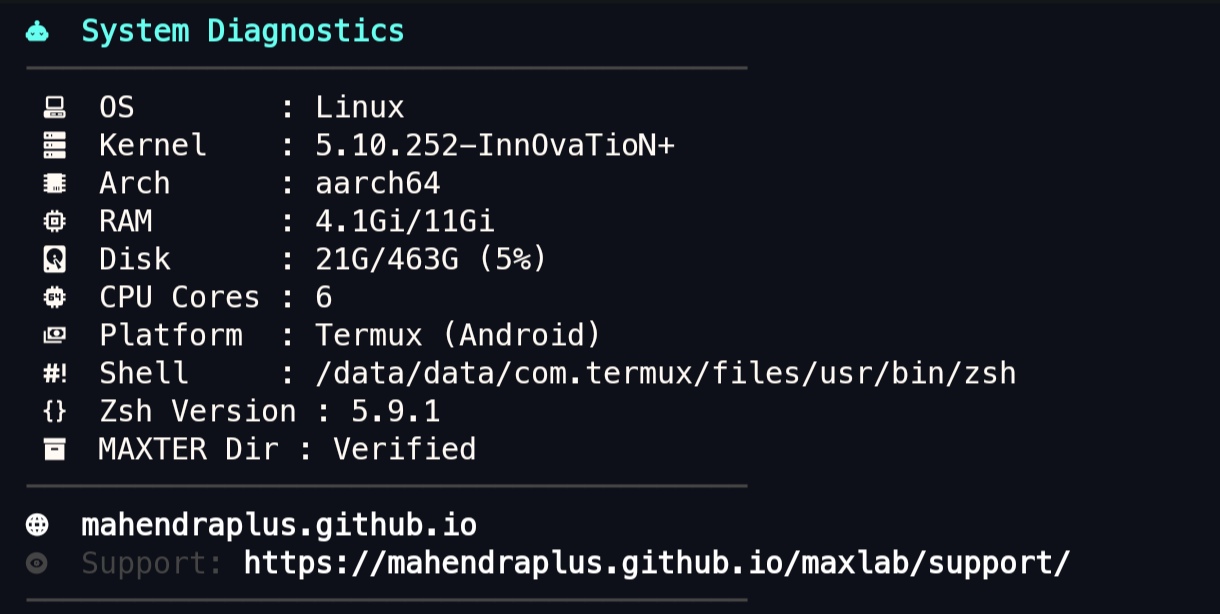
- View system information
- Powerful & Extensible: Advanced scripting capabilities
- Plugin Support: Hundreds of community plugins available
- History Management: Smart history with context awareness
- Completion System: Intelligent tab completion
- Easy Plugin Management: 300+ pre-built plugins
- Theme Support: 100+ professional themes
- Community-Driven: 2000+ contributors
- Auto-Updates: Stay current with latest features
- Key Plugins Included:
git- Enhanced Git integrationnpm- Node package manager shortcutsdocker- Docker CLI completionshistory-substring-search- Smart history navigationautojump- Intelligent directory jumpingsyntax-highlighting- Real-time command validation
- Lightning-Fast: Renders in milliseconds
- Responsive Design: Adapts to terminal width
- Git Integration: Real-time repository status
- Instant Prompt: Display before shell initialization
- Transient Prompt: Clean command history display
- Custom Segments: System info, time, environment variables
- Icon Support: 2000+ coding icons and symbols
- Multiple Weights: Regular, Bold, Italic variants
- Programming Optimized: Special glyphs for all languages
- Beautiful Rendering: Anti-aliased, smooth characters
- Wide Compatibility: Works across all terminals
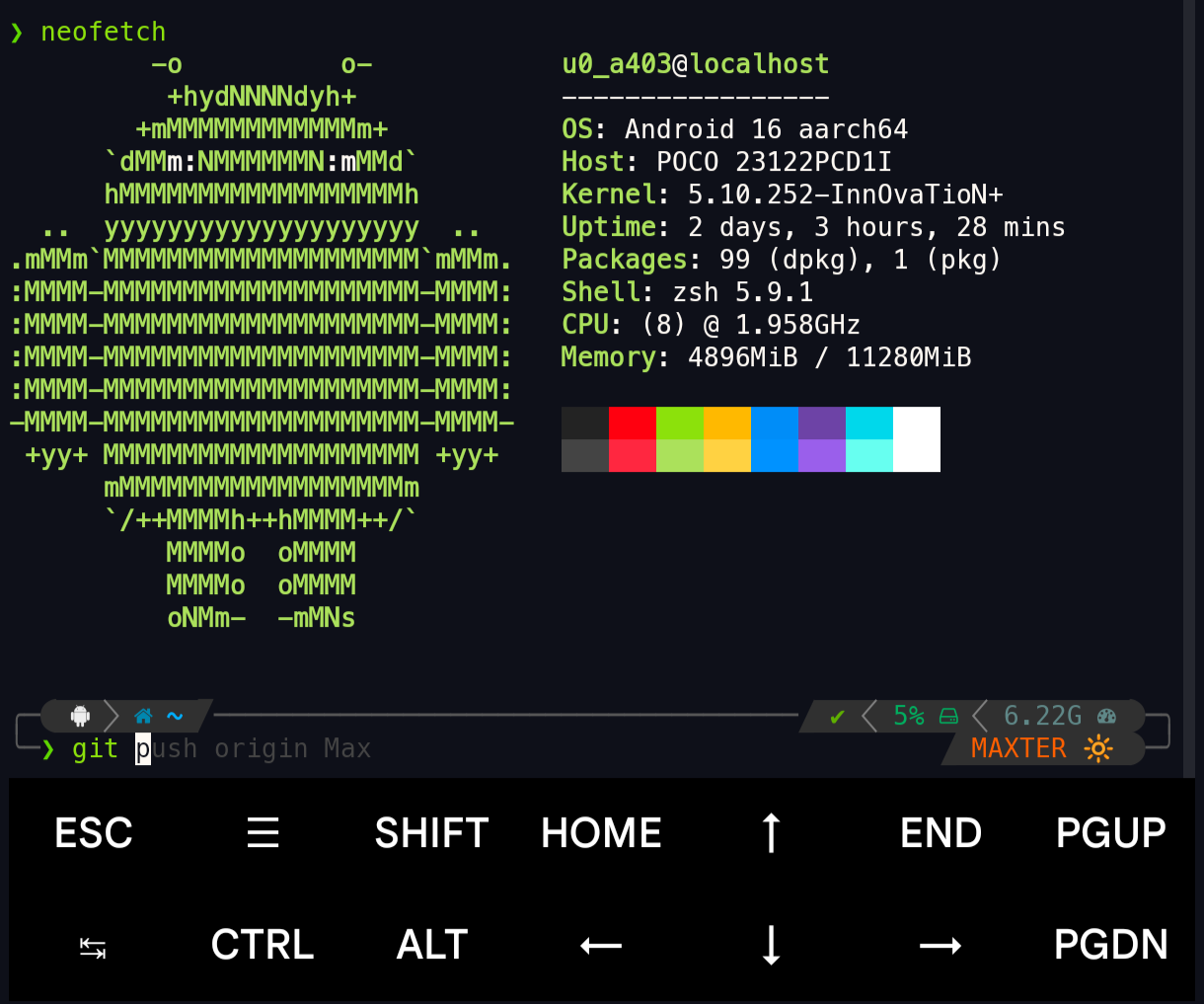
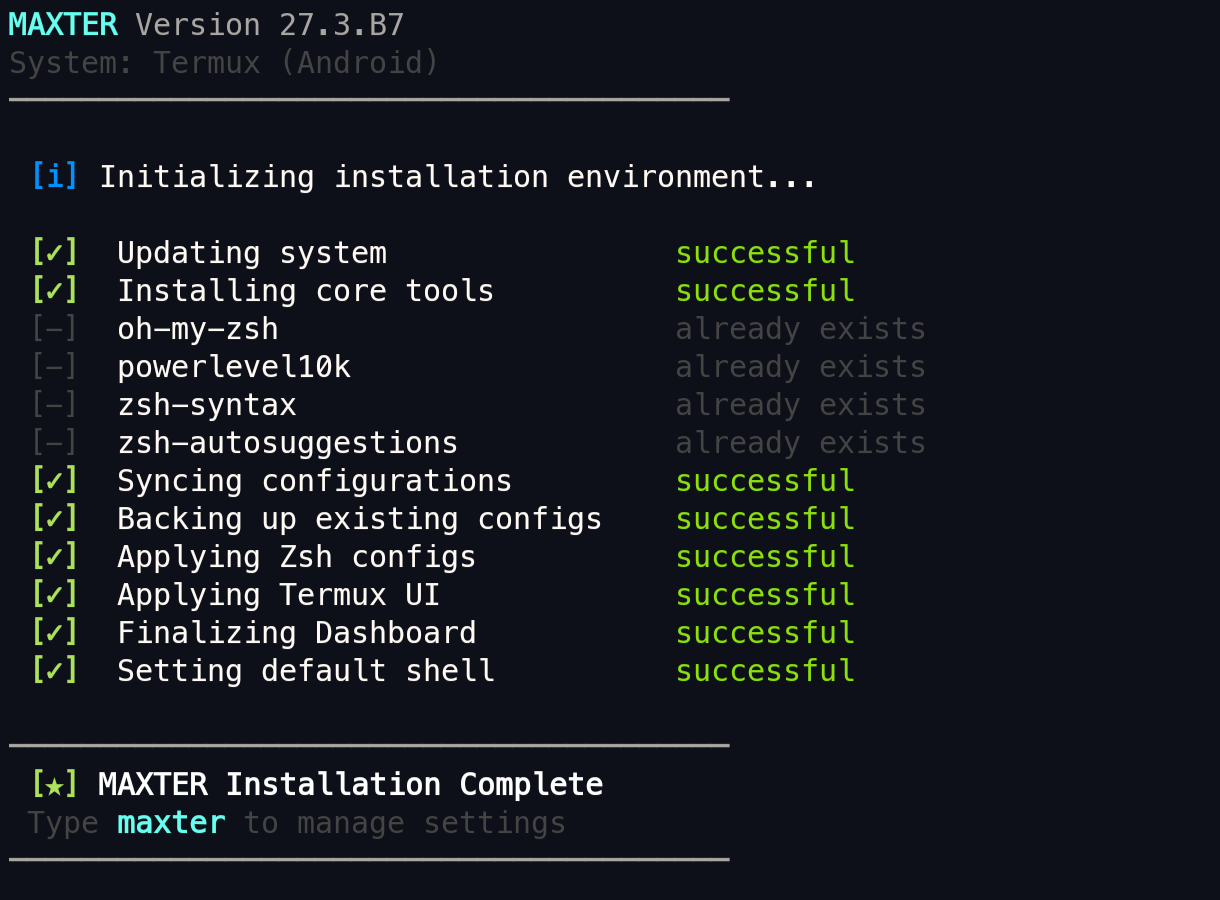
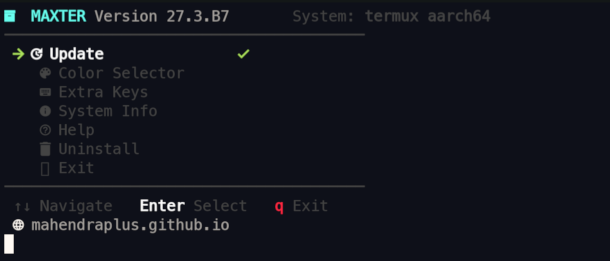
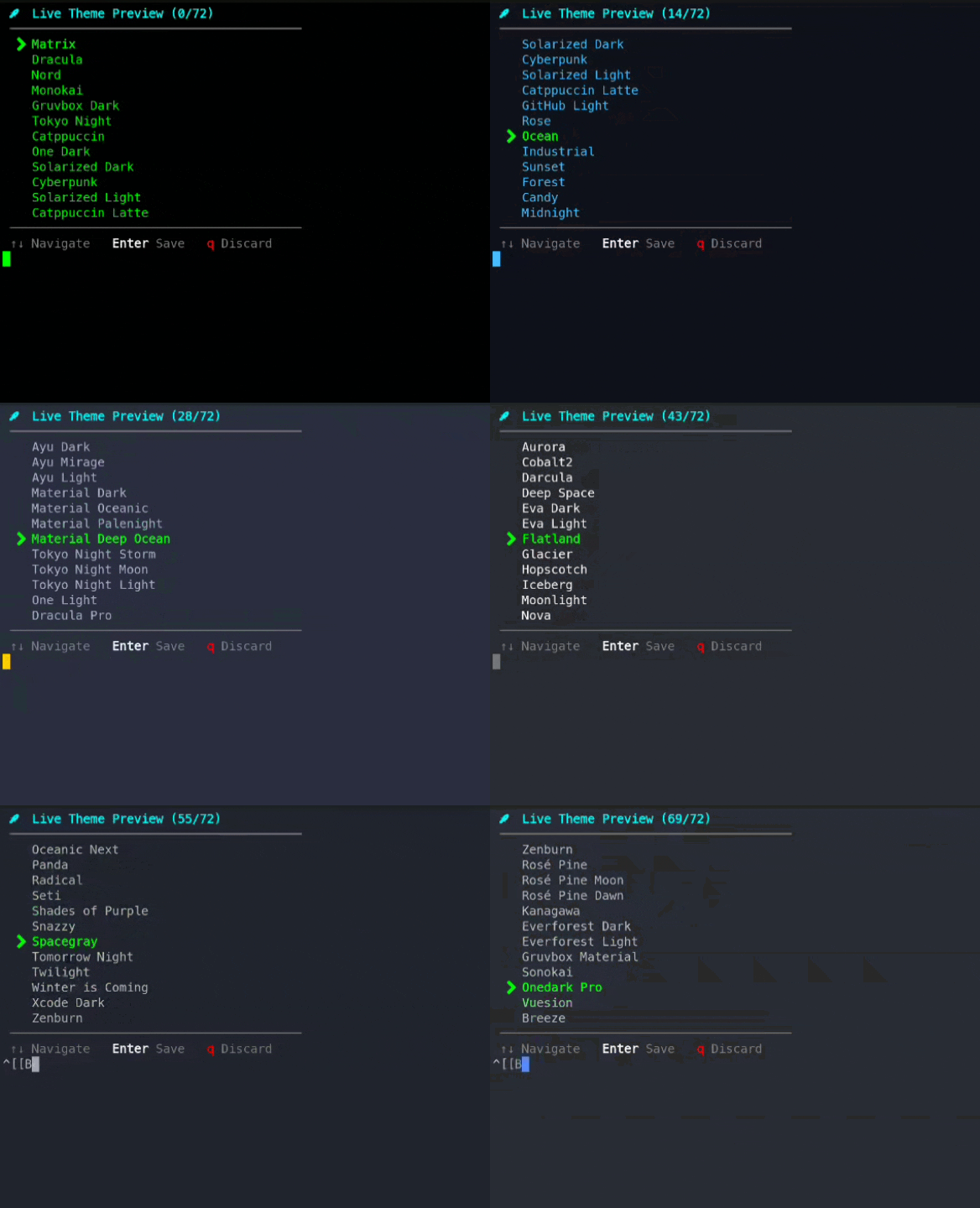
- Instant Dev Environment: Get coding in seconds
- Git Integration: Visual branch and status information
- Project Templates: Bootstrap React/Vue projects instantly
- Terminal Productivity: Advanced shortcuts and aliases
- Learning-Friendly: Clean, organized shell interface
- Best Practices: Professional terminal setup from day one
- Academic Projects: Perfect for coursework and assignments
- Portfolio Ready: Impress employers with professional development setup
- Penetration Testing: Optimized for security tools
- Kali Linux Integration: Perfect pairing for penetration testing
- Command Efficiency: Fast access to powerful tools
- Professional Aesthetic: Stand out during security assessments
- Android Development: Full development environment on smartphone
- Portable: Code anywhere, anytime
- Optimized Performance: Minimal resource consumption
- Touch-Friendly: Custom key layout for mobile keyboards
- Multi-System Support: Consistent setup across infrastructure
- Scriptable: Automate deployment across servers
- Lightweight: Minimal system impact
- Enterprise-Ready: Reliable and battle-tested
MAXTER provides extensive customization options through its configuration files:
maxter
# Select "Theme Settings" from the menuEdit ~/.zshrc to add or remove plugins:
plugins=(git npm docker history-substring-search autojump syntax-highlighting)Add to ~/.zshrc:
alias ll='ls -lah'
alias cc='clear'
alias np='npm'Run configuration wizard:
p10k configure| Language | Percentage | Purpose |
|---|---|---|
| 🐚 Shell | 76.7% | Core installation and setup scripts |
| 📦 JavaScript | 18% | TUI Dashboard and interactive tools |
| 🎨 HTML | 3.7% | Web documentation and website |
| 💅 CSS | 1.6% | Website styling and theming |
We welcome passionate developers to contribute! Here's how:
- Fork the repository: Fork MAXTER
- Clone your fork:
git clone https://github.com/YOUR_USERNAME/MAXTER.git - Create a feature branch:
git checkout -b feature/amazing-feature
- Follow shell script best practices
- Maintain code readability
- Test across multiple platforms (Termux, Ubuntu, Kali, etc.)
- Add comments for complex logic
- Update documentation as needed
- Commit:
git commit -m 'Add amazing feature' - Push:
git push origin feature/amazing-feature - Open PR: Create a Pull Request with detailed description
- Review: Engage with maintainers and reviewers
- 🐛 Bug fixes and improvements
- ✨ New theme options
- 📱 Better Termux support
- 🔌 Plugin ecosystem expansion
- 📖 Documentation improvements
- 🌐 Translation support
Found a bug or need help? We're here to assist!
Open an Issue with:
- Clear Title: Concise problem description
- Detailed Description: What happened and what was expected
- Steps to Reproduce: Exact commands to recreate the issue
- Environment Information:
- Operating System (Termux, Ubuntu, Kali, etc.)
- OS Version
- Shell version (
zsh --version) - MAXTER version
- Logs & Screenshots: Include relevant output
- 📖 Check Frequently Asked Questions
- 💬 Start a Discussion
- 🔍 Search existing issues for solutions
- Installation Guide - Step-by-step setup instructions
- Configuration Guide - Customize MAXTER to your needs
- Troubleshooting - Common issues and solutions
- FAQ - Frequently asked questions
- Plugin Development - Create custom plugins
- Changelog - Version history and updates
- No Telemetry: MAXTER doesn't collect any usage data
- Open Source: Full transparency of all code
- Local Processing: Everything runs on your machine
- Minimal Permissions: Only requests necessary system access
- Regular Audits: Code reviewed by community members
This project is licensed under the MIT License.
Permission is granted to use, modify, and distribute MAXTER freely, even for commercial purposes, as long as the original license is included.
MAXTER stands on the shoulders of giants:
- Oh-My-Zsh - Incredible Zsh framework and community
- Powerlevel10k - Roman Perepelitsa's phenomenal theme
- Nerd Fonts - Beautiful fonts with icon support
- Zsh Project - The modern shell foundation
- All Contributors - Your dedication drives innovation
- 🌐 Enhanced web dashboard
- 📦 Plugin marketplace
- 🔄 Auto-update functionality
- 🎨 More theme options
- 📱 iOS support (via alternative shells)
- 🤖 AI-powered setup wizard
- Major performance optimizations
- Unified configuration system
- Cross-platform sync support
- Enterprise features
Join our growing community:
- GitHub Discussions: Join Discussion
- Issue Tracker: Report Issues
If MAXTER has enhanced your terminal experience, please:



Your support fuels continued development and improvement. Together, we're building the best terminal setup tool available.
Created with ❤️ by Mahendra Mali
- 🌐 Website: MAXTER Official Website
- 💼 GitHub: @mahendraplus
Last Updated: June 2026
Version: 27.3.B10
Status: ✅ Active Development
Made with passion for developers worldwide 🌍