ELD is an ELF linker designed to meet the needs of embedded software projects. It aims to be a drop-in replacement for the GNU linker, with a smaller memory footprint, faster link times and a customizable link behavior.
ELD supports targets Hexagon, ARM, AArch64 and RISCV and is designed for easy addition of more backends.
-
Static linking
-
Dynamic linking
-
Partial linking
-
LTO
-
Same command-line options as GNU LD.
-
Linker scripts. Linker script syntax is same as of GNU LD.
-
Highly detailed linker map-files.
Highly detailed map-files are essential to debug complex image layouts.
-
Linker plugins
Linker plugins allow a user to programmatically customize link behavior for advanced use-cases and complex image layouts.
-
Reproduce functionality
The reproduce functionality creates a tarball that can be used to reproduce the link without any other dependency.
ELD supports building and running tests on Linux and Windows utilizing LLVM.
ELD depends on LLVM. You can build ELD either:
- Integrated into an
llvm-projectbuild (recommended for running tests), or - Against an external, prebuilt LLVM installation (faster iteration if you already have an LLVM release).
You will need a recent C++ compiler for building LLVM and ELD.
git clone https://github.com/llvm/llvm-project.git
cd llvm-project/
git clone https://github.com/qualcomm/eld.git
cd ../
cmake -G Ninja \
  -DCMAKE_BUILD_TYPE=Debug \
  -DCMAKE_INSTALL_PREFIX=../inst \
  -DLLVM_ENABLE_ASSERTIONS:BOOL=ON \
  -DLLVM_ENABLE_PROJECTS='llvm;clang' \
  -DLLVM_EXTERNAL_PROJECTS=eld \
  -DLLVM_EXTERNAL_ELD_SOURCE_DIR=${PWD}/llvm-project/eld \
  -DLLVM_TARGETS_TO_BUILD='ARM;AArch64;RISCV;Hexagon;X86' \
  -DCMAKE_CXX_FLAGS='-stdlib=libc++' \
  -B ./obj \
  -S ./llvm-project/llvm
cmake --build obj # Build the linker
cmake --build obj -- check-eld # Build test artifacts and run the tests
If you already have an installed LLVM/Clang "release" directory (with bin/clang, bin/clang++, bin/llvm-tblgen, and lib/cmake/llvm), you can configure ELD directly against it:
./configure_external_llvm.sh <LLVM_RELEASE_DIR> <ELD_BUILD_DIR>
cd <ELD_BUILD_DIR>
ninja
Notes:
- Tests are disabled by default for external builds;
- To build just the linker:
ninja ld.eld
Some (optional) helpful CMake options:
-
-DLLVM_USE_SPLIT_DWARF=OnThis option helps save on disk space with debug builds
-
-DLLVM_PARALLEL_LINK_JOBSLinking LLVM toolchain can be very memory-intensive. To avoid OOM or swap performance repurcussion, it is recommended to restrict parallel link jobs, especially in systems with less than 32 GB of memory.
-
-DLLVM_USE_LINKER=lldUsing LLD instead of GNU LD can signficantly help in reducing link time and memory.
To execute an individual ELD test without running the entire suite, follow the steps below from the build directory ('obj/' here).
-
Test configurations are stored under:
obj/tools/eld/test/ -
Test files reside in the source tree, for example:
llvm-project/eld/test/<Subdirectory>/<TestName>.test
Use the following command to run a specific test case:
<path_to_lit_config> <path_to_test_file><path_to_lit_config>: Path to the LIT configuration script<path_to_test_file>: Path to the '.test' file you wish to execute
obj/tools/eld/test/llvm-lit-arm-default llvm-project/eld/test/Common/standalone/AliasSymbolExportDynamic/AliasSymbolExportDynamic.testThis command runs only the AliasSymbolExportDynamic test using the ARM default configuration. Results and diagnostics will be printed to the console.
- -a: Always show detailed output.
- -v: Show detailed output only when a test fails ("on failure" mode).
The Vim syntax-highlighting files in etc/vim/ have a
lit-based test suite that
verifies syntax-group assignments for every token class in eld.vim.
Prerequisites
- Vim 9.1 or later in
PATH(tests drive Vim in batch mode; Neovim is not supported). - Python 3 in
PATH. litinstalled (pip install lit).
Running the tests
Each test spawns one Vim process; run the suite serially to avoid resource contention:
cd etc/vim/test
lit -j1 .
Run a single test file:
lit -j1 comments.testRun with verbose output to see per-check PASS/FAIL lines:
lit -j1 -v .Use a specific Vim binary:
lit -j1 -D vim=/path/to/vim .CMake build target
Enable the test suite at configure time with -DELD_VIM_TESTS=ON.
This adds a check-eld-vim target that runs the tests with a single worker
and a 120-second per-test timeout:
cmake -DELD_VIM_TESTS=ON <other options> <source-dir>
ninja check-eld-vimFirst install the prerequisites for building documentation:
- Doxygen (>=1.8.11)
- graphviz
- Sphinx and other python dependencies as specified in 'docs/userguide/requirements.txt'
On an ubuntu machine, the prerequisites can be installed as:
sudo apt install doxygen graphviz
pip3 install -r ${ELDRoot}/docs/userguide/requirements.txt
Finally, to build documentation:
- Configure CMake with the option
-DLLVM_ENABLE_SPHINX=On - Build documentation by building
eld-docstarget:cmake --build . --target eld-docs
To run DCO checks locally you will need to fiest install nodeJs and npm:
On an ubuntu machine, these can be installed as:
sudo apt install nodejs
sudo apt install npm
You can then install repolinter using:
npm install repolinter
To run the DCO checks locally use the following command:
repolinter lint </path/to/eld>
ELD uses LLVM clang-format style via the repository .clang-format file.
Use the helper script at:
etc/bash/eld_clang_format_helpers.sh
To enable the functions in your shell, add this to your ~/.bashrc
(or ~/.bash_aliases) and reload:
source </path/to/eld>/etc/bash/eld_clang_format_helpers.shFor usage, run:
eld_clang_format_check --helpclang-format --version
eld_clang_format_check <base-branch>eld_clang_format_check prints per-file colored status and returns non-zero on
failure.
eld_clang_format_fix <base-branch>Pull requests run .github/workflows/clang-format-pr.yml, which fails if any
changed C/C++ source file is not formatted with clang-format --style=file.
ELD PRs also run clang-tidy-based lint checks via:
.github/workflows/cpp-linter-pr.yml
Current behavior:
- Runs on changed C/C++ files in the PR.
- Uses external-LLVM build setup to generate
compile_commands.json. - Runs non-blocking for now (does not fail the PR by default).
- Uploads downloadable logs/artifacts (including detailed diagnostics).
Use the helper script at:
etc/bash/eld_cpp_linter_helpers.sh
To enable the functions in your shell:
source </path/to/eld>/etc/bash/eld_cpp_linter_helpers.shFor usage/help:
eld_cpp_linter_check --helpCommon usage:
# Check changed files against base branch
eld_cpp_linter_check --base-branch main --build-directory <build-dir>

# Apply clang-tidy fixes on changed files
eld_cpp_linter_fix --base-branch main --build-directory <build-dir>

# Check or fix a single file
eld_cpp_linter_check --build-directory <build-dir> --file path/to/file.cpp
eld_cpp_linter_fix --build-directory <build-dir> --file path/to/file.cpp- Skip in PR workflow input list (temporary CI-level skip):
git diff --name-only --diff-filter=ACMRT "origin/${BASE_REF}...HEAD" \
  | grep -E '\.(c|cc|cpp|cxx|h|hh|hpp|hxx|inc|def)$' \
  | grep -Ev '^(path/to/file1\.cpp|path/to/legacy/.*)$' \
> .cpp-linter-files.txt || true- Run helpers on a specific file only (local scope control):
eld_cpp_linter_check --build-directory <build-dir> --file path/to/file.cpp- Add source-level suppressions where justified:
// NOLINT(<check-name>)// NOLINTBEGIN(<check-name>)/// NOLINTEND(<check-name>)
- Use repo-level
.clang-tidypolicy filters, if maintained, for broad path/check tuning.
- Official clang-tidy checks list:
https://clang.llvm.org/extra/clang-tidy/checks/list.html - Checks supported by your installed clang-tidy version:
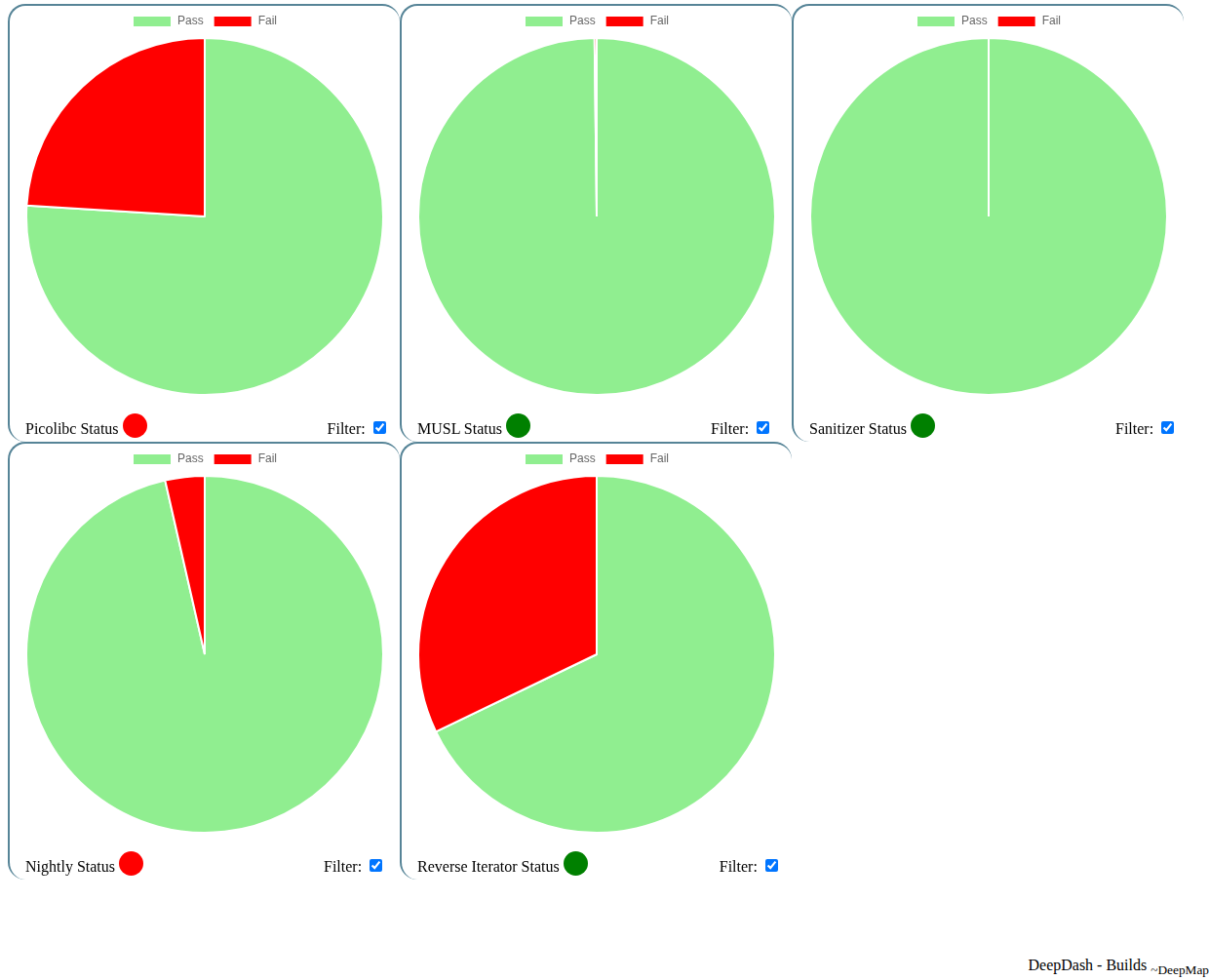
clang-tidy -list-checks -checks='*'Live status of workflows building with ELD
Licensed under BSD 3-Clause License